
Base64 to Hex Converter - Complete Guide
Convert Base64 encoded data to hexadecimal format with our free online Base64 to Hex converter. Decode and encode in both directions instantly with byte-accurate results.
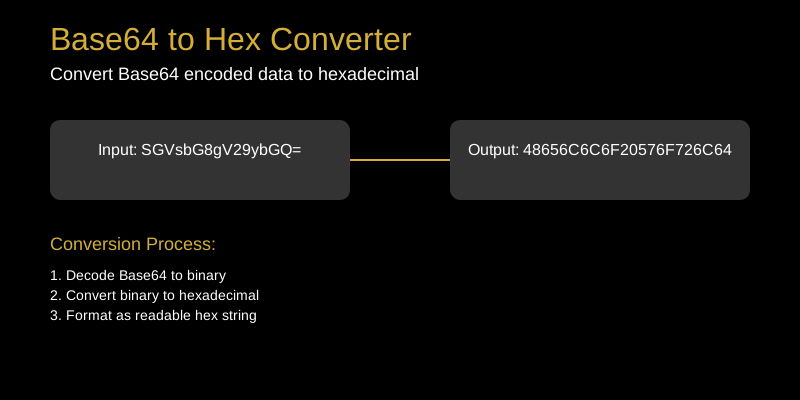
Base64 to Hex Converter: Decode Base64 to Hexadecimal
When working with encoded data, you often need to convert between different formats. Our Base64 to Hex Converter seamlessly transforms Base64 encoded strings into their hexadecimal equivalents.
What Does the Base64 to Hex Converter Do?
The Base64 to Hex Converter takes Base64 encoded data and converts it to hexadecimal format. This involves first decoding the Base64 to binary, then converting that binary to hex digits.
How to Use the Base64 to Hex Converter
- Paste your Base64 encoded string in the input field
- The tool automatically detects valid Base64 format
- View the hexadecimal output instantly
- Copy the result for your needs
Common Use Cases
API Integration
Many APIs use Base64 encoding for data transmission. Converting to hex helps analyze the underlying data structure.
Data Analysis
When examining encoded payloads, converting Base64 to hex reveals the actual data content in a more readable format.
Cryptography
Security applications often need to convert between encoding formats for key generation, digital signatures, and encryption operations.
File Processing
Binary files encoded in Base64 can be converted to hex for analysis, comparison, or further processing.
Tips and Tricks
- Valid Base64: Ensure your input contains only valid Base64 characters (A-Z, a-z, 0-9, +, /)
- Padding characters: Base64 may end with = or == padding
- Line breaks: Our tool handles line breaks in Base64 input automatically
- Binary data: The conversion works for any binary data encoded in Base64
- UTF-8 support: Text encoded as UTF-8 then Base64 converts correctly
Technical Details
Base64 to hex conversion process:
- Decode Base64: Convert Base64 characters to 6-bit values
- Combine bits: Form 8-bit bytes from the 6-bit groups
- Convert to hex: Transform each byte to two hexadecimal digits
- Format output: Present as continuous hex string or with separators
Why Choose Our Tool?
- Instant conversion of any Base64 string
- Handles large inputs efficiently
- Mobile-responsive design
- Privacy-focused - no data stored
- Free and unlimited usage
Convert Base64 to hexadecimal effortlessly with our reliable tool. Try it today!