
Binary to Hex Converter - Complete Guide
Convert binary numbers to hexadecimal format with our free online Binary to Hex converter. Get precise conversions with step-by-step grouping and worked examples.
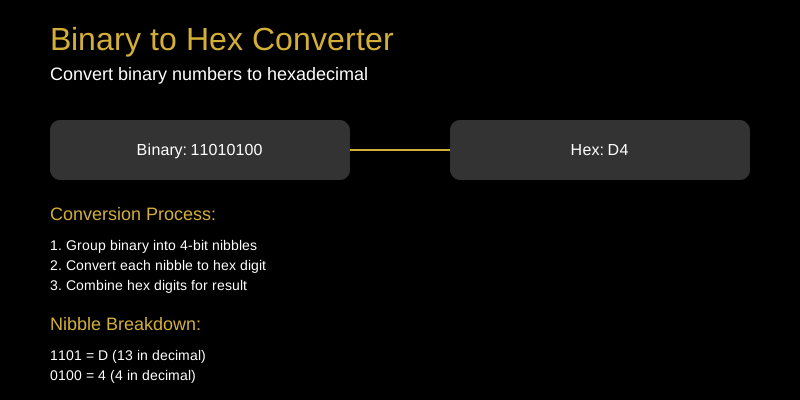
Binary to Hex Converter: Simplify Binary Conversion
Binary and hexadecimal are fundamental number systems in computing. Our Binary to Hex Converter makes it easy to transform binary numbers into their hexadecimal equivalents.
What Does the Binary to Hex Converter Do?
The Binary to Hex Converter takes binary numbers (sequences of 0s and 1s) and converts them to hexadecimal format. This conversion is based on grouping binary digits into 4-bit nibbles.
How to Use the Binary to Hex Converter
- Enter your binary number in the input field
- Ensure only valid binary digits (0 and 1) are used
- View the hexadecimal output instantly
- Copy the result for your needs
Common Use Cases
Computer Science Education
Students learning about number systems can visualize the relationship between binary and hexadecimal.
Programming and Development
Programmers frequently convert between binary and hex when working with bitwise operations, masks, and low-level programming.
Digital Electronics
Engineers working with digital circuits use hex representations to simplify binary data analysis.
Data Analysis
When examining binary data formats, hex provides a more compact and readable representation.
Tips and Tricks
- Group by 4: Binary converts to hex by grouping bits in sets of 4
- Padding: Add leading zeros to make binary length a multiple of 4
- Nibble mapping: Each 4-bit group maps to one hex digit (0-F)
- Large numbers: Hex is more compact than binary for large values
- Verification: Convert back to binary to verify correctness
Technical Details
Binary to hex conversion process:
- Pad binary: Ensure length is multiple of 4 bits
- Group bits: Divide into 4-bit nibbles
- Convert each nibble: Map to hex digit (0000=0, 0001=1, …, 1111=F)
- Combine digits: Form final hex string
Example:
- Binary: 1101 0100
- Nibbles: 1101, 0100
- Hex: D, 4
- Result: D4
Why Choose Our Tool?
- Instant conversion of any binary string
- Handles large inputs efficiently
- Mobile-responsive design
- Accurate calculations every time
- Free and unlimited usage
Convert binary to hexadecimal effortlessly with our reliable tool. Try it today!