
Color Blindness Simulator - Complete Guide
Simulate deuteranopia, protanopia, and tritanopia color vision deficiency with our free Color Blindness Simulator. Paste any hex color and compare the views.
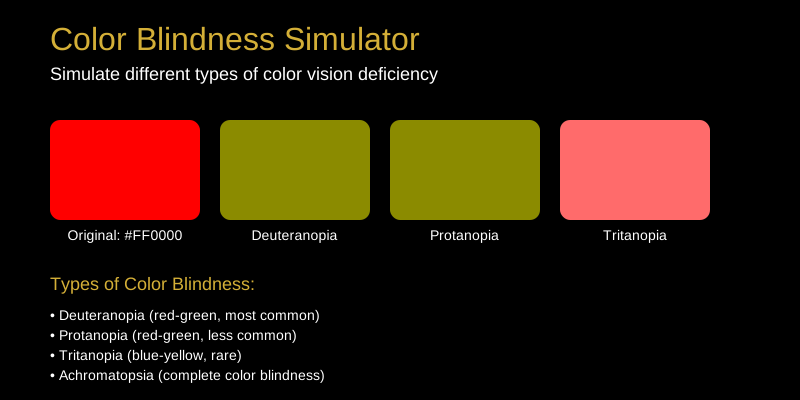
Color Blindness Simulator: Design for Everyone
Approximately 8% of men and 0.5% of women have some form of color vision deficiency. Our Color Blindness Simulator helps you design accessible interfaces by showing how colors appear to people with different types of color blindness.
What Does the Color Blindness Simulator Do?
The Color Blindness Simulator takes colors and shows how they appear to people with different types of color vision deficiency. This helps designers and developers create accessible color schemes.
How to Use the Color Blindness Simulator
- Enter a color (HEX, RGB, or HSL)
- Select the type of color blindness to simulate
- View the simulated color appearance
- Test your entire color palette
Common Use Cases
Web Accessibility
Ensure your website is accessible to users with color vision deficiencies.
UI/UX Design
Design interfaces that communicate effectively without relying solely on color.
Data Visualization
Create charts and graphs that are understandable by everyone.
Brand Guidelines
Ensure brand colors maintain meaning for all users.
Tips and Tricks
- Don’t rely on color alone: Use icons, patterns, or text labels
- Test with tools: Use simulators early in the design process
- High contrast: Ensure sufficient contrast between elements
- Color combinations: Avoid problematic combinations (red/green, blue/purple)
- Alternative indicators: Use shapes, patterns, or labels alongside colors
Types of Color Blindness
Deuteranopia (Red-Green)
Most common type. Difficulty distinguishing between red and green.
Protanopia (Red-Green)
Similar to deuteranopia but with different red perception.
Tritanopia (Blue-Yellow)
Rare type. Difficulty distinguishing between blue and yellow.
Achromatopsia (Complete)
Complete color blindness. Only sees shades of gray.
Color Combinations to Avoid
- Red/Green: Most problematic for deuteranopia/protanopia
- Blue/Purple: Can be confused with tritanopia
- Green/Brown: Difficult to distinguish
- Light Green/Yellow: May appear identical
Why Choose Our Tool?
- Multiple color blindness types supported
- Real-time simulation of color appearance
- Batch testing for entire palettes
- Mobile-responsive design
- Free and unlimited usage
Design accessible interfaces for everyone. Try our tool now!