
Color Converter - Complete Guide
Convert colors between HEX, RGB, and HSL formats instantly with our free online color converter tool. Paste a hex code and get accurate equivalents in every format.
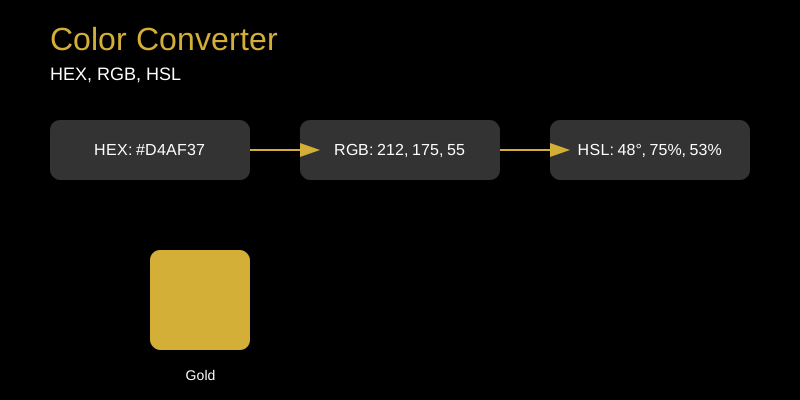
Color Converter: Seamless Color Format Conversion
In the world of web design and development, working with colors is inevitable. Whether you’re creating a stunning website, designing a mobile app, or developing graphics, you’ll encounter different color formats. The Color Converter tool makes it effortless to switch between HEX, RGB, and HSL color formats.
What Does the Color Converter Do?
The Color Converter is a free online tool that allows you to convert colors between three primary formats:
- HEX (Hexadecimal): Uses 6 characters to represent colors, like #D4AF37 for gold
- RGB (Red, Green, Blue): Uses three values (0-255) to define colors, like rgb(212, 175, 55)
- HSL (Hue, Saturation, Lightness): Uses degrees and percentages, like hsl(48°, 75%, 53%)
How to Use the Color Converter
Using our tool is simple:
- Enter your color in any format (HEX, RGB, or HSL)
- The tool automatically detects the format
- Instantly see the equivalent values in all three formats
- Copy any value with a single click
Common Use Cases
Web Development
When working with CSS, you might receive design specifications in different color formats. Our converter helps you quickly translate between them without manual calculations.
Graphic Design
Designers often work with multiple tools that support different color formats. The Color Converter ensures consistency across platforms.
Accessibility Testing
When checking color contrast ratios for accessibility, you may need to convert colors to specific formats required by testing tools.
Tips and Tricks
- HEX colors are case-insensitive, so #D4AF37 is the same as #d4af37
- RGB values must be between 0 and 255
- HSL hue ranges from 0° to 360°, while saturation and lightness are percentages
- Use the color preview to visually verify your conversions
- Save frequently used colors for quick access
Why Choose Our Tool?
- Instant conversions with no delays
- Mobile-friendly interface
- No registration required
- Free to use forever
- Accurate results every time
Whether you’re a beginner learning about colors or a professional developer, the Color Converter is an essential tool in your arsenal. Try it today and streamline your color workflow!