
Hex to Binary: How to Convert It Step by Step
Convert hex to binary in seconds using the 4-bit grouping trick. Step-by-step method with examples, a nibble reference table, and common pitfalls.
Hex to Binary: How to Convert It Step by Step
Hex to binary conversion is faster than almost any other base conversion, because the two systems are designed to fit together. Every hexadecimal digit maps to exactly four binary digits, so you never need to do arithmetic — only substitution.
Why 4 Bits Per Hex Digit
Binary is base 2, so four bits give you 2⁴ = 16 possible combinations — the exact count of symbols in hexadecimal. This one-to-one mapping is why hex exists in the first place: it compresses long strings of zeros and ones into something a human can scan.
The Nibble Reference Table
| Hex | Binary | Hex | Binary | |
|---|---|---|---|---|
| 0 | 0000 | 8 | 1000 | |
| 1 | 0001 | 9 | 1001 | |
| 2 | 0010 | A | 1010 | |
| 3 | 0011 | B | 1011 | |
| 4 | 0100 | C | 1100 | |
| 5 | 0101 | D | 1101 | |
| 6 | 0110 | E | 1110 | |
| 7 | 0111 | F | 1111 |
The Step-by-Step Method
- Write down each hex digit.
- Replace each one with its four-bit binary group from the table.
- Concatenate the groups from left to right.
- Strip any leading zeros if you want the shortest form.
Example 1: Convert D6 to Binary
- D → 1101
- 6 → 0110
- Result: 11010110
Example 2: Convert A5 to Binary
- A → 1010
- 5 → 0101
- Result: 10100101
Example 3: Convert 3F to Binary
- 3 → 0011
- F → 1111
- Result: 00111111, or 111111 if you drop the leading zeros
Going the Other Direction
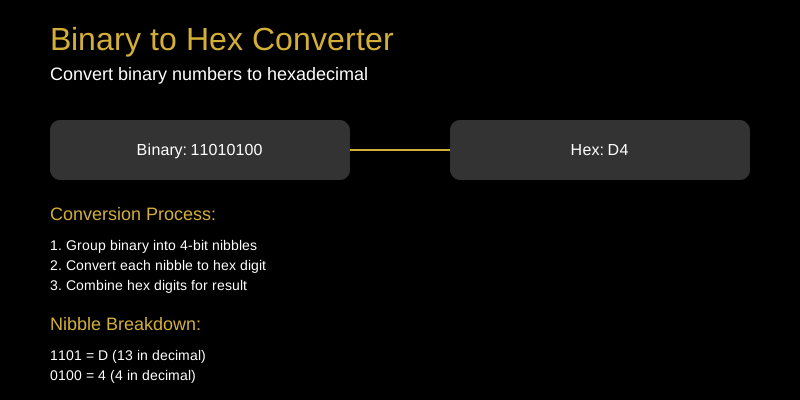
Binary to hex uses the same trick in reverse: group the bits into sets of four starting from the right, then translate each group. Take 11110010:
- Split from the right: 1111 and 0010
- 1111 → F, 0010 → 2
- Result: F2
If the leftmost group has fewer than four bits, pad it with zeros: 101 becomes 0101, which is hex 5.
Where This Comes Up in Practice
- Hex dumps and memory inspection. Reading
48 65 6Cin a dump and instantly seeing the underlying bits helps when debugging bitfields or protocol flags. - Bitmask work. If a register value is 0x0F, you know without thinking that it selects the lower nibble: 00001111.
- Color channels. In a hex color, each pair of digits is one byte — and hex 80 is 10000000, the midpoint of a channel range.
Common Mistakes to Avoid
- Forgetting to keep four bits per digit. Converting 2 to “10” instead of “0010” shifts every other bit.
- Grouping from the left. Always split binary into nibbles from the right, then pad the front.
- Dropping internal zeros. Leading zeros are safe to remove; zeros between groups are not.
Try It Yourself
Use the binary to hex converter to check your answers, or see the same process applied to text in hex to text conversion. With the nibble table memorized, most conversions take under five seconds.